Free templates · PDF, Word and Excel
Free UK trade invoice template and payment tracker
Send a clear invoice for the job and see what’s still owed after a deposit or part payment.
Made for UK sole traders who aren't VAT registered, doing domestic work. Fill in your business details before sending the invoice.
Worked example for a plumbing job
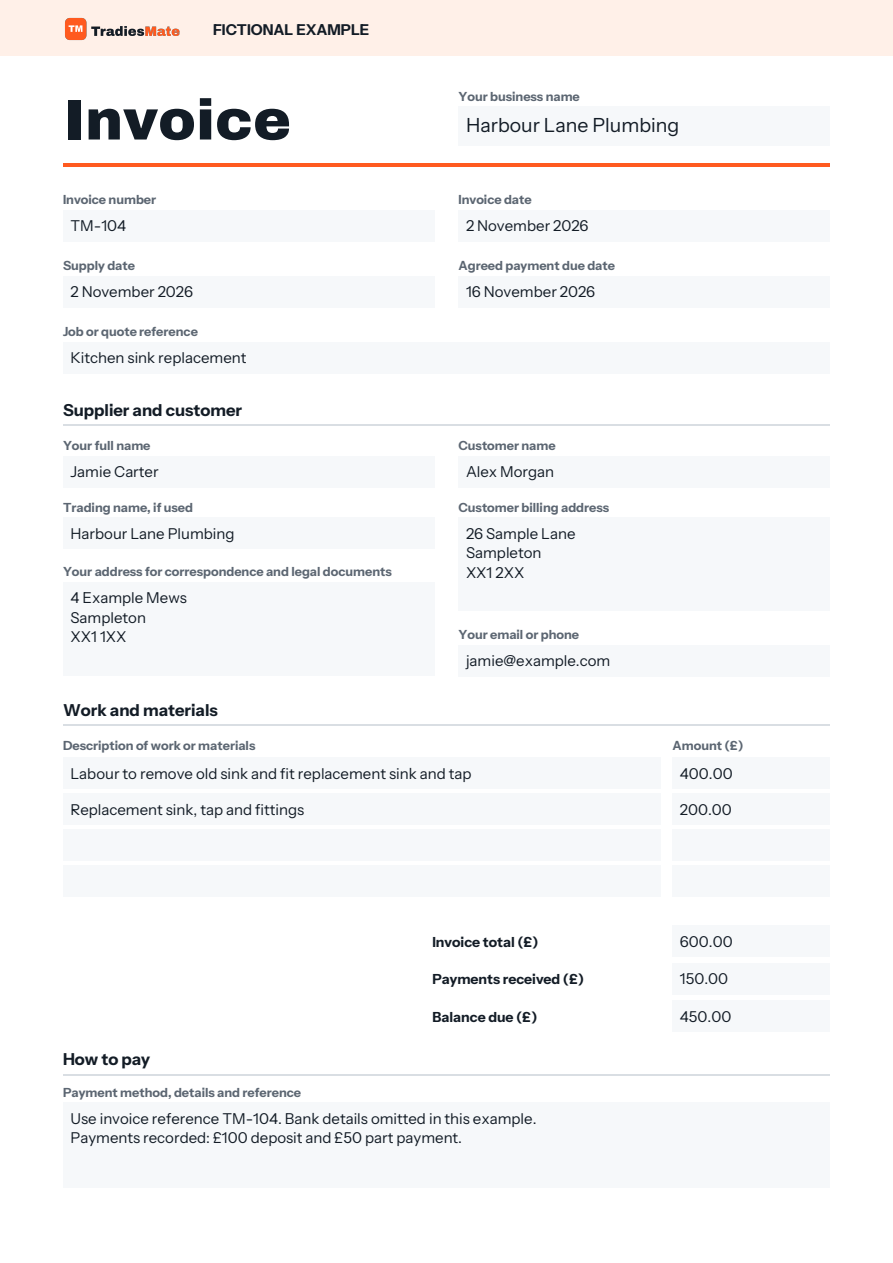
In this fictional example, invoice TM-104 covers replacing a kitchen sink and tap. The job and invoice date were 2 November 2026, with payment agreed by 16 November 2026.
- Labour
- £400
- Materials
- £200
- Invoice total
- £600
- Payments received (£100 deposit and £50 part payment)
- £150
- Balance outstanding
- £450
Log both payments against TM-104 in the Excel workbook to see the £450 balance. If payment is late, use the reminder examples in the Get Paid pack.
What to check before sending your invoice
- Give the invoice its own number and include the job or quote reference if you use one.
- Check your name, any trading name, contact details and business address, as well as the customer’s name and address.
- Include the invoice and supply dates, describe the work and check labour, materials and the invoice total.
- Show any payment already received, the remaining balance, the agreed due date and how to pay.
- Save a copy of what you sent, then record each payment against the same invoice number.
Choose a format
- Fillable PDF for a quick A4 invoice you can type into or print.
- Word for an editable A4 invoice with space for your logo. Save it as a PDF to send.
- Excel for an invoice, invoice register and payment log. See the running balance and whether payment is overdue.
One email confirmation unlocks all three formats and all six resource packs. No app account is needed.